
Table of Contents
Released On 10/10/2024 10:10 AM
COMMON FOR ALL PLATFORMS #
- QR in Label
- Now we can print QR in the label sticker to tag the products (Generally in Textile Business). QR used to hold large amount of data.
- For those who wants to move from Barcode to QR, please contact support team to get more details on it.
- TCS Percentage in Purchase
- If your supplier charge TCS (Tax Collected at Source), you can add this tax in purchase entry (under Purchase Summary Option)
- Report Changes
- Added Counter Filter Option in Sales Report – Month Wise.
- Optimized all reports for better performance.
- Customer Bonus Points – Accumulate & Redeem
- In the Sales Payment Screen, you can see the bonus points option to redeem the accumulated bonus points for the particular customer.
- By Pressing enter on there, you will get the total available points and corresponding amount to redeem.
- The redeemed values can be shown in Customer Bonus Points screen under Transaction Menu
- Quotation/Estimate Reset
- In Settings -> Reset Menu, you can reset the estimate sequence whenever you want to.
For Jewellery #
- Sales Order Management
- Sales -> Sales Order Management
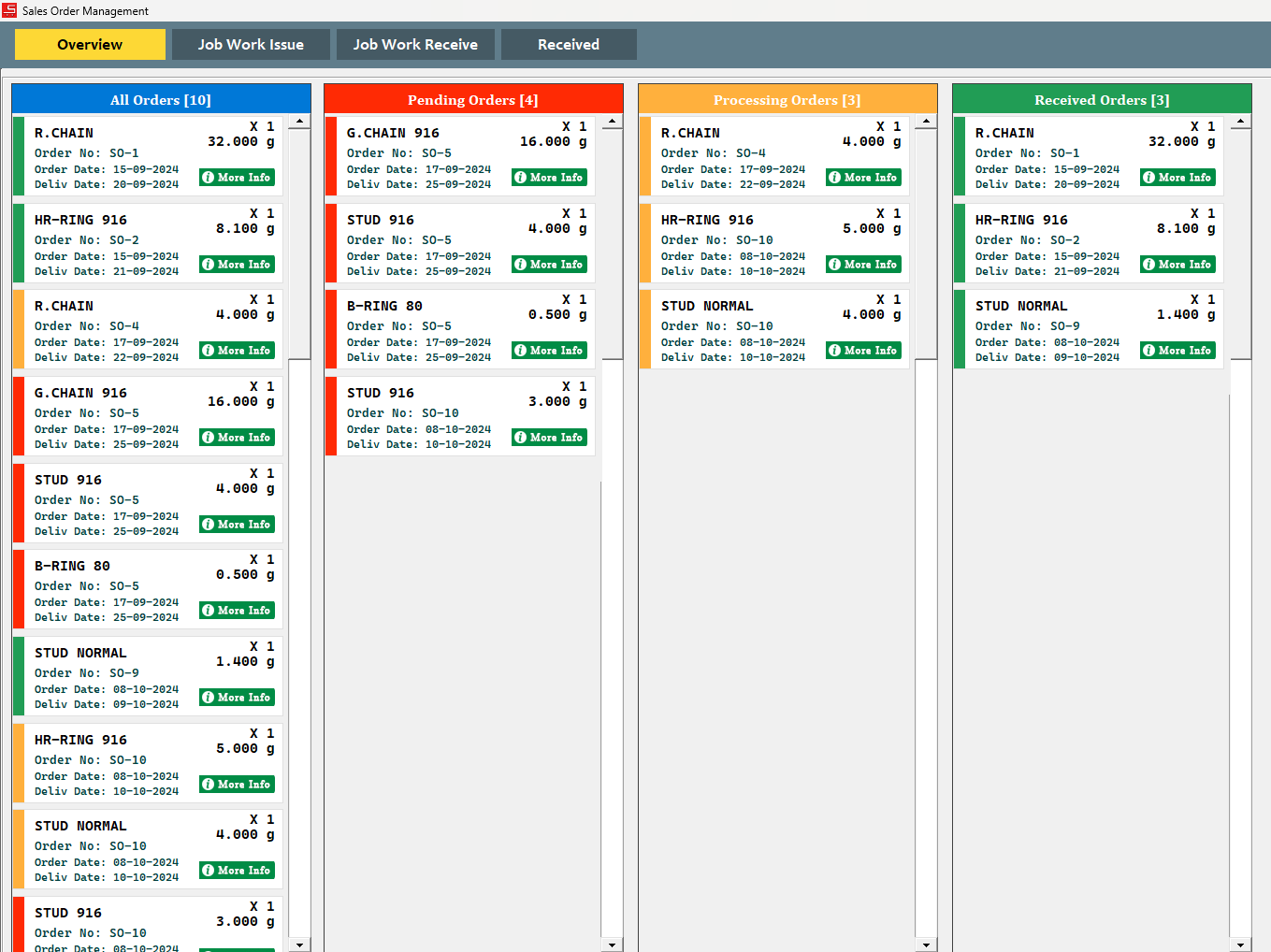
- Tutorial Video Link : (will be uploaded Soon)
- Separate Old Purchase Entry Screen
- Purchase -> Old Purchase Entry
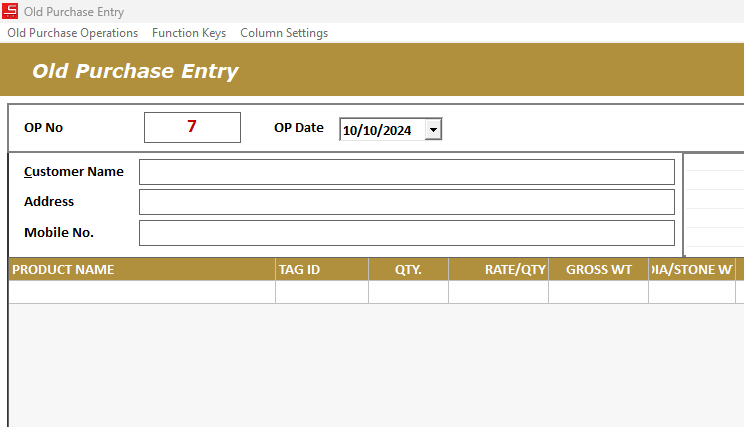
- Tutorial Video Link : (will be uploaded Soon)
- Edit Old Issues in Supplier Metal Balance
- In Supplier Metal Balance Screen, Click on any Issue from the table to start edit.
- Supplier Metal Balance – Export Excel
- Option Added to Export Supplier Metal Balance Summary details to excel
- Purchase Entry – New Column Additions
- Purchase Making Charge/Gm – Now you can enter making charge (charged by the dealer) for per gram value of metal.
- Purchase Hallmark – If Dealer charged you the hall mark charges separately, you can use this column to add.
- Sales Hallmark – If you want to pre-set the hallmark charges for Sales, use this column.
- Sales Entry – New Column Addition
- Purchase Wastage % – If you want to see the purchase wastage while sales, make visible this column in Column Settings.
- Default Touch % for Old
- In Product Master, you can set default touch % for old gold/silver. So when you load Old purchase product, the touch will be loaded by default. Also it can be modified if needed.
- New Print Profiles
- Chit Receipt – Multi Print Profile Added
- Chit Break – New Print Profile Added
- Chit Close – New Print Profile Added
- WholeSale Bill – New Print Profile Added
- New Reports
- For WholeSale Billing, In all the existing Sales Reports, we added option to switch Retail & WholeSale.
- Monthly Purchase Report (Date wise summary) Added.
- Stock -> Current Stock Report -> Supplier Wise – Gross Weight Column Added
- WholeSale Billing
- While Saving the transaction, you can choose the type of payment for that invoice.
- Amount -> The entire amount will be added to Credit Amount in the Customer Metal Balance
- Metal -> The corresponding metal balance will be added to Customer Metal Balance
BUGS FIXED # #
- When Customer Default State/City Mapped in Settings, it is not allowing to change city in Customer Master. It has been fixed


